SAM.gov Active · CAGE 26MD5 — capability statement available to download.View statement

Systems built around the work.

See the task. Follow the workflow. Open the experience.

Explore public services, accessible documents, AI-assisted workflows and mission applications. Every preview shows the actual interface.

Explore experience, operating products and delivery evidence →

Selected case studies

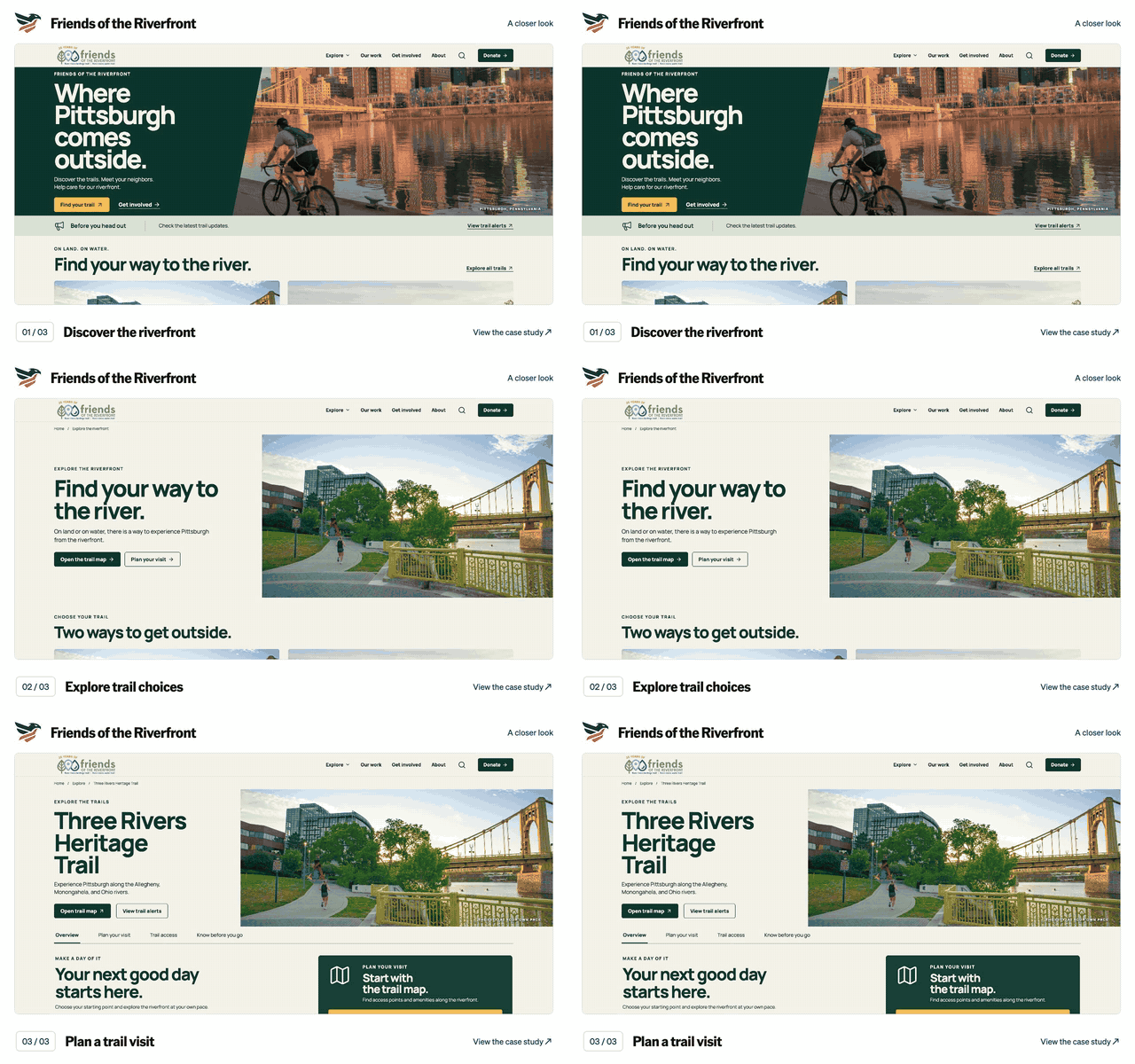
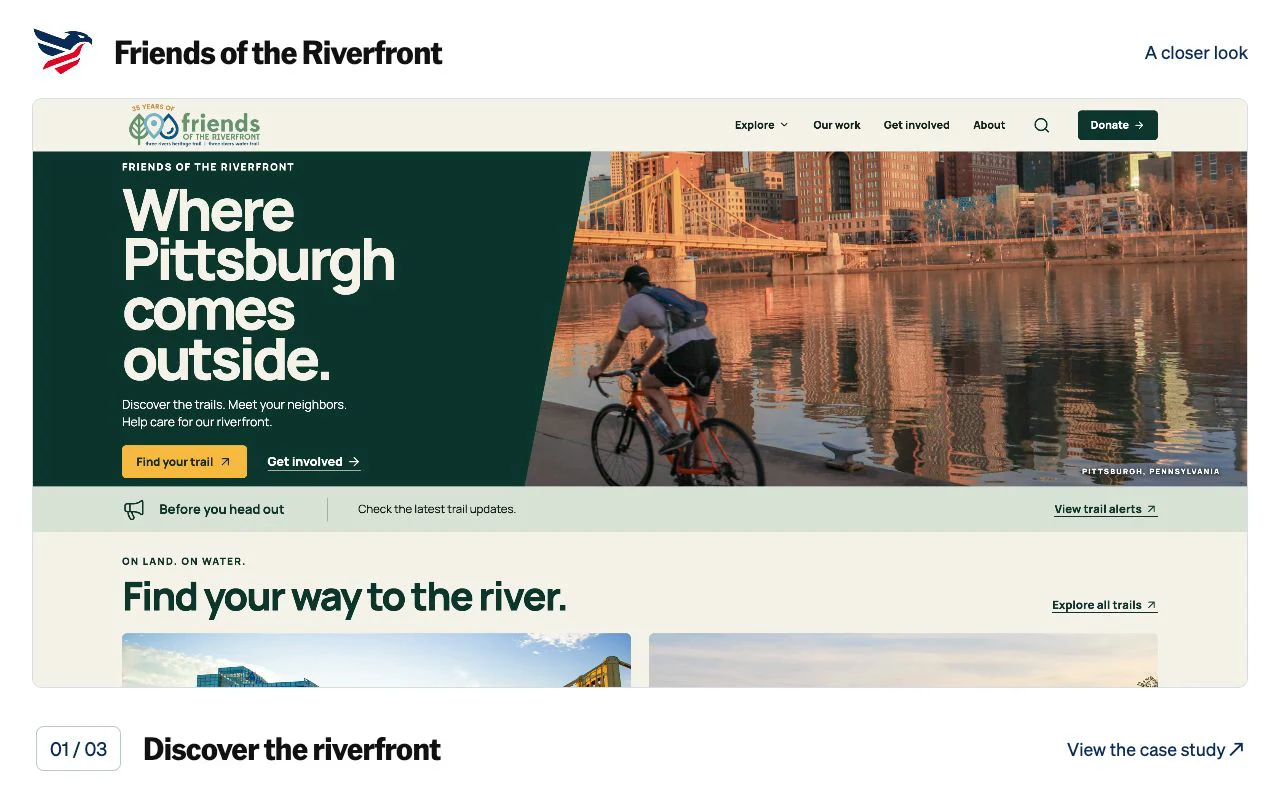
Friends of the Riverfront: Discover the riverfront. Captured application screen.
9-second walkthrough
Walkthrough details for Friends of the Riverfront

A silent preview of the actual project screens. Discover the riverfront. Explore trail choices. Plan a trail visit. Open the case study for the full walkthrough and project context.

Download the Friends of the Riverfront animated GIF

Friends of the Riverfront

A responsive trail-finding experience connecting outdoor discovery with practical trip information.

Open full website ↗ (opens in a new tab)
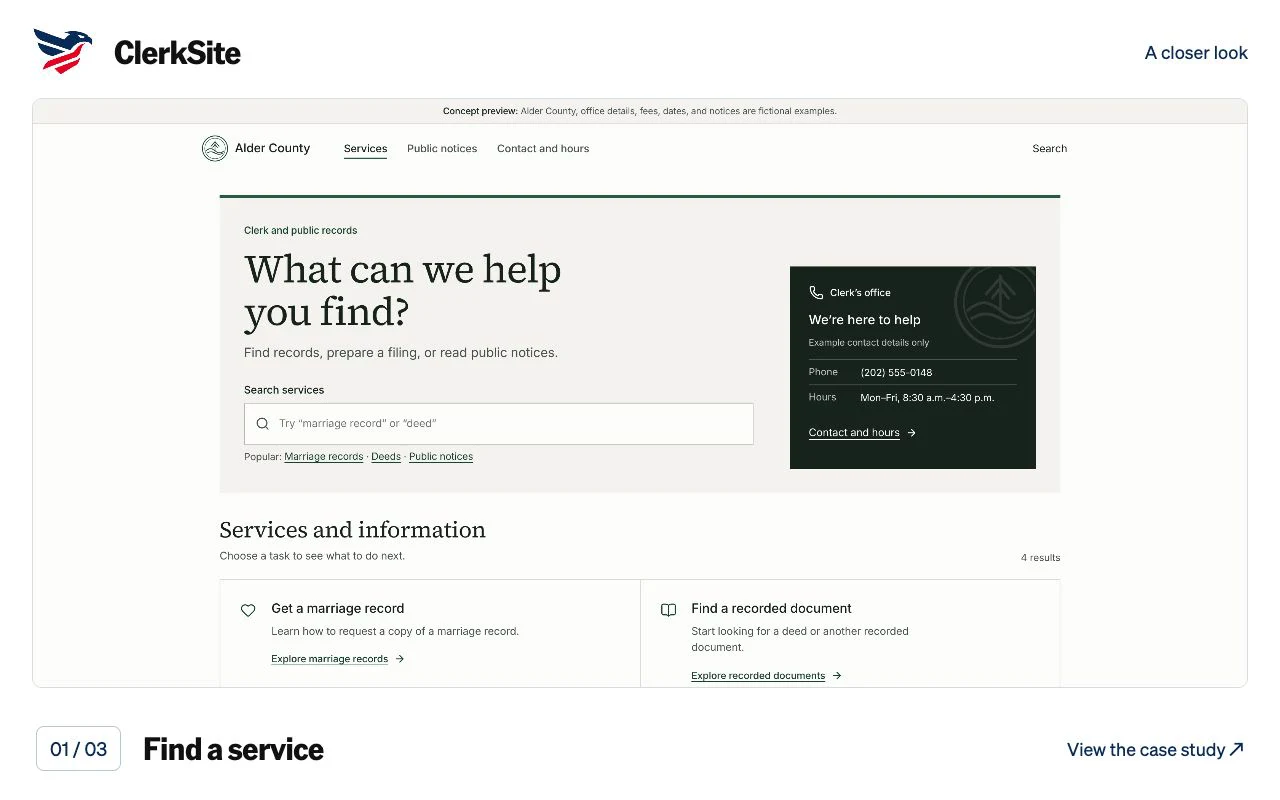
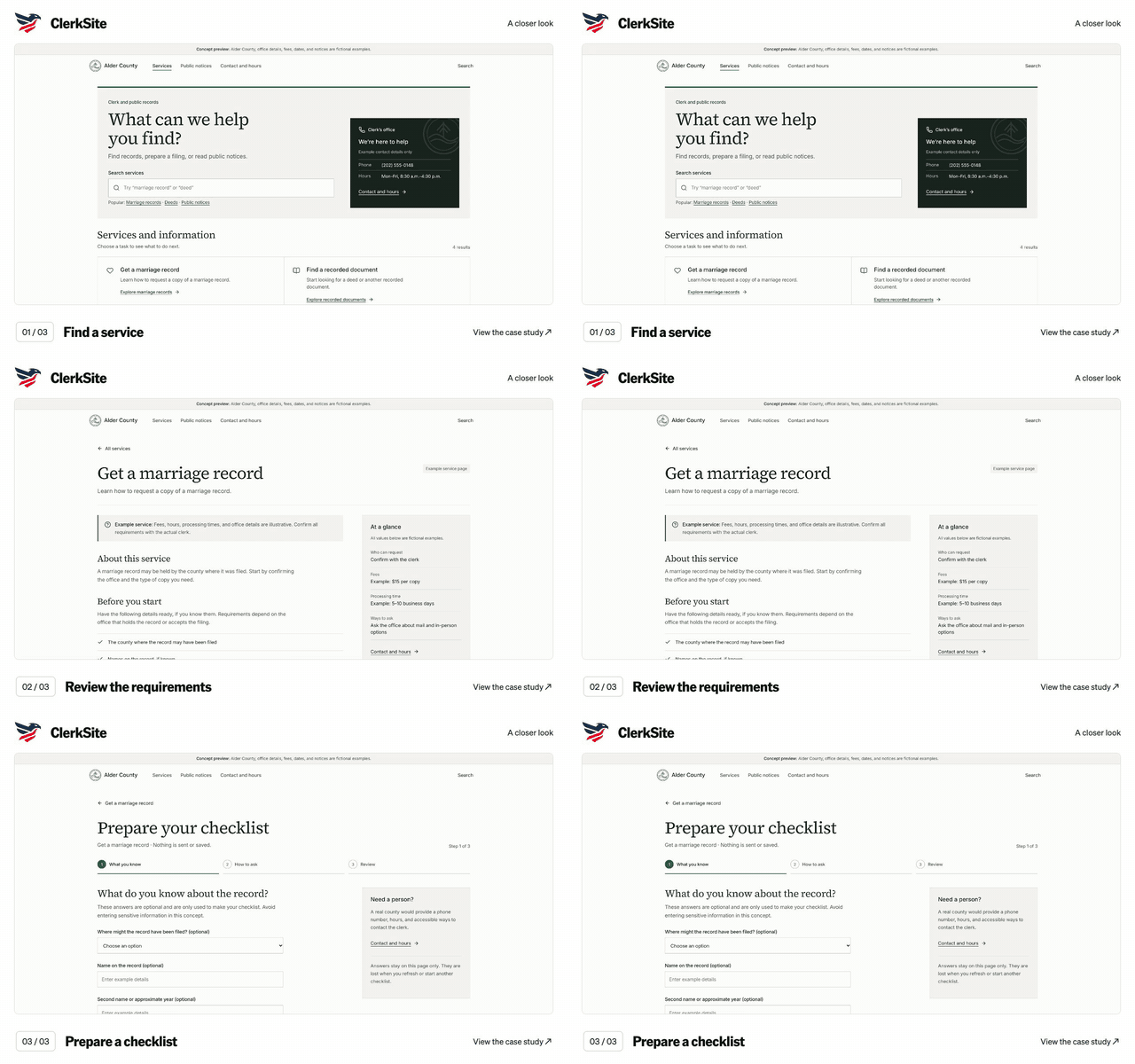
ClerkSite: Find a service. Captured application screen.
9-second walkthrough
Walkthrough details for ClerkSite

A silent preview of the actual project screens. Find a service. Review the requirements. Prepare a checklist. Open the case study for the full walkthrough and project context.

Download the ClerkSite animated GIF

ClerkSite / Alder County

A clearer path to records, filing preparation, and the county clerk’s office.

Open full live demo ↗ (opens in a new tab)
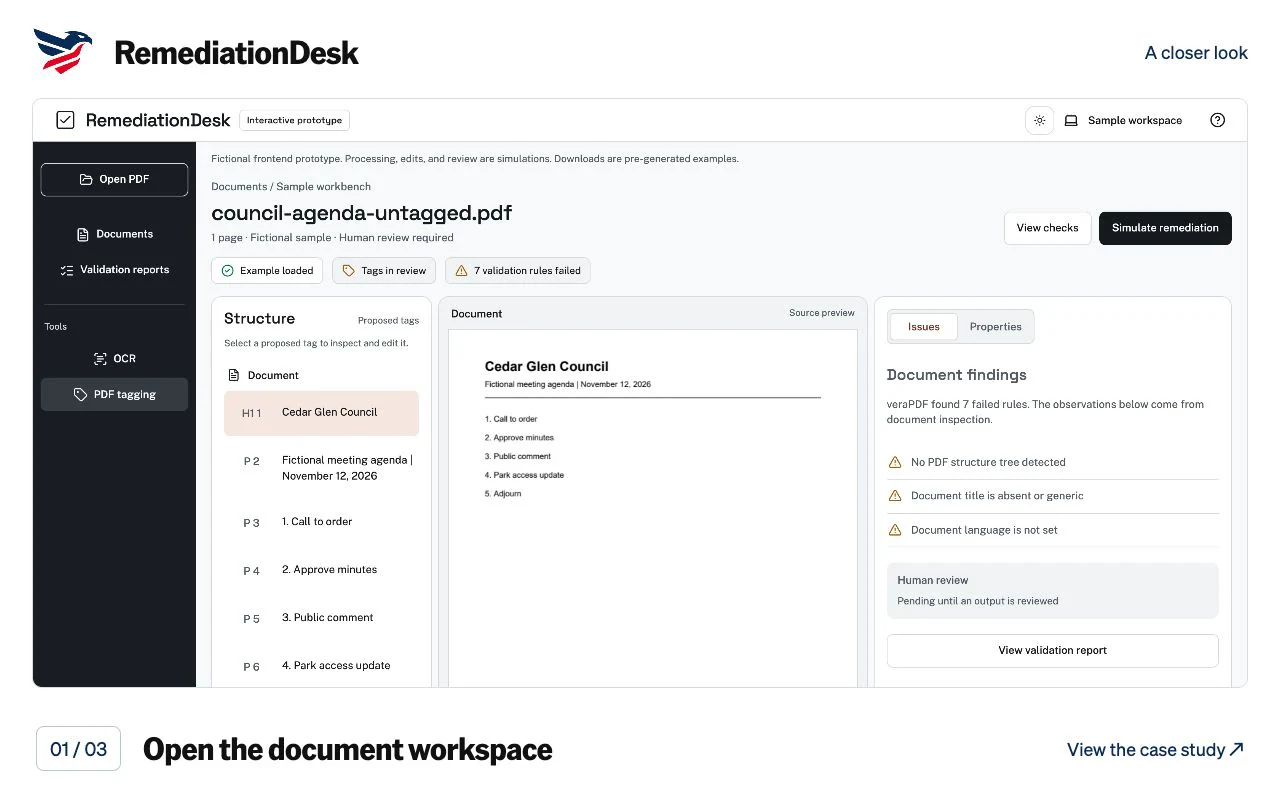
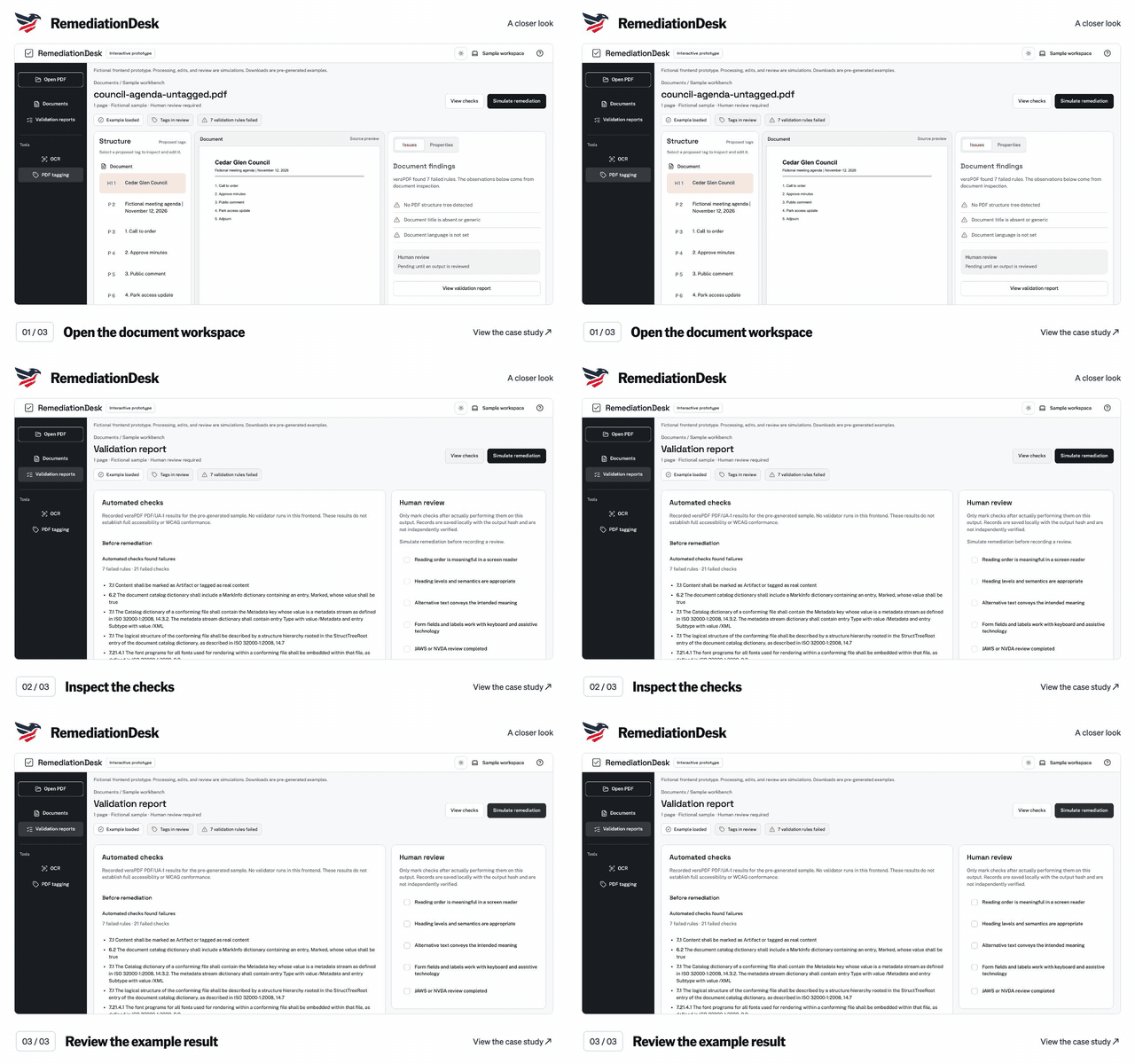
RemediationDesk: Open the document workspace. Captured application screen.
9-second walkthrough
Walkthrough details for RemediationDesk

A silent preview of the actual project screens. Open the document workspace. Inspect the checks. Review the example result. Open the case study for the full walkthrough and project context.

Download the RemediationDesk animated GIF

RemediationDesk

A document-review workspace that makes reading order, issues, and review decisions visible.

Open full live demo ↗ (opens in a new tab)
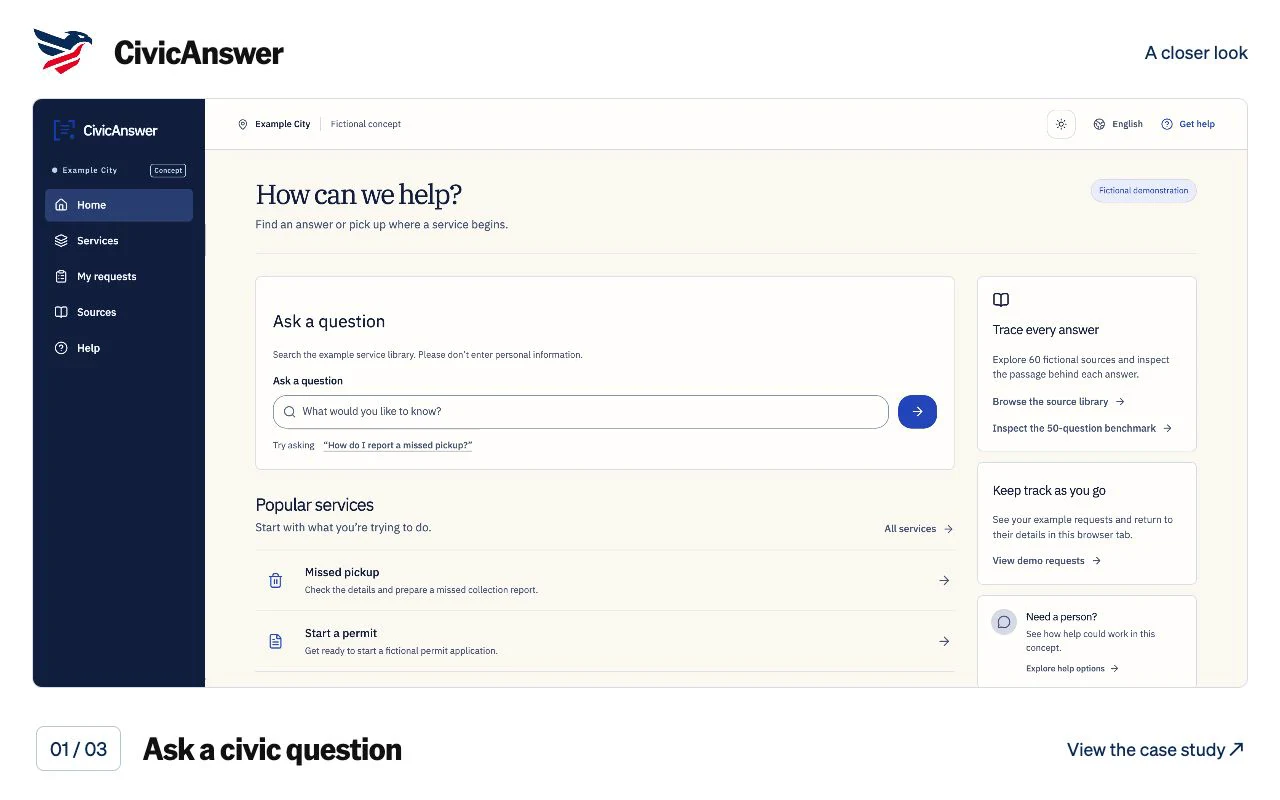
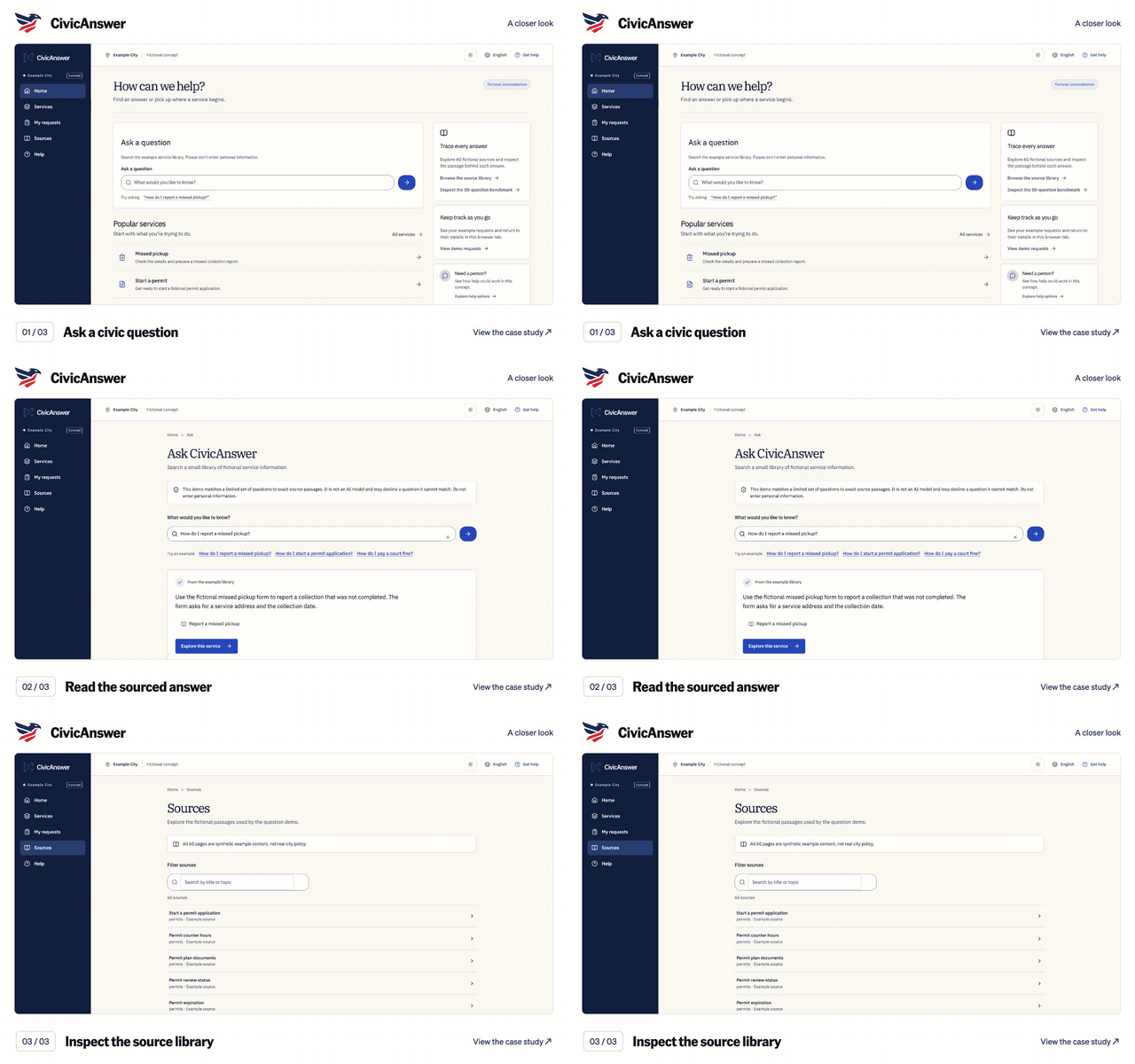
CivicAnswer: Ask a civic question. Captured application screen.
9-second walkthrough
Walkthrough details for CivicAnswer

A silent preview of the actual project screens. Ask a civic question. Read the sourced answer. Inspect the source library. Open the case study for the full walkthrough and project context.

Download the CivicAnswer animated GIF

CivicAnswer

A public-information assistant that keeps sources, uncertainty, and refusal in view.

Open full live demo ↗ (opens in a new tab)
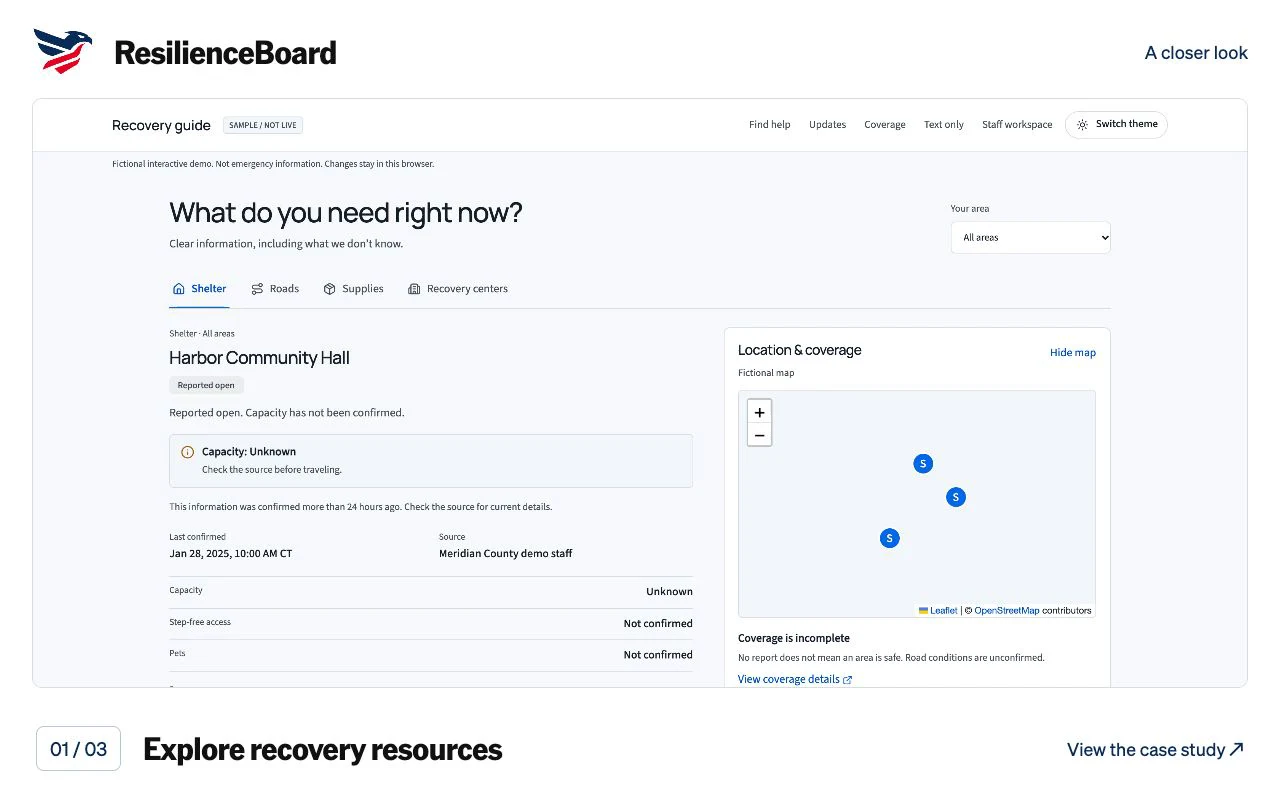
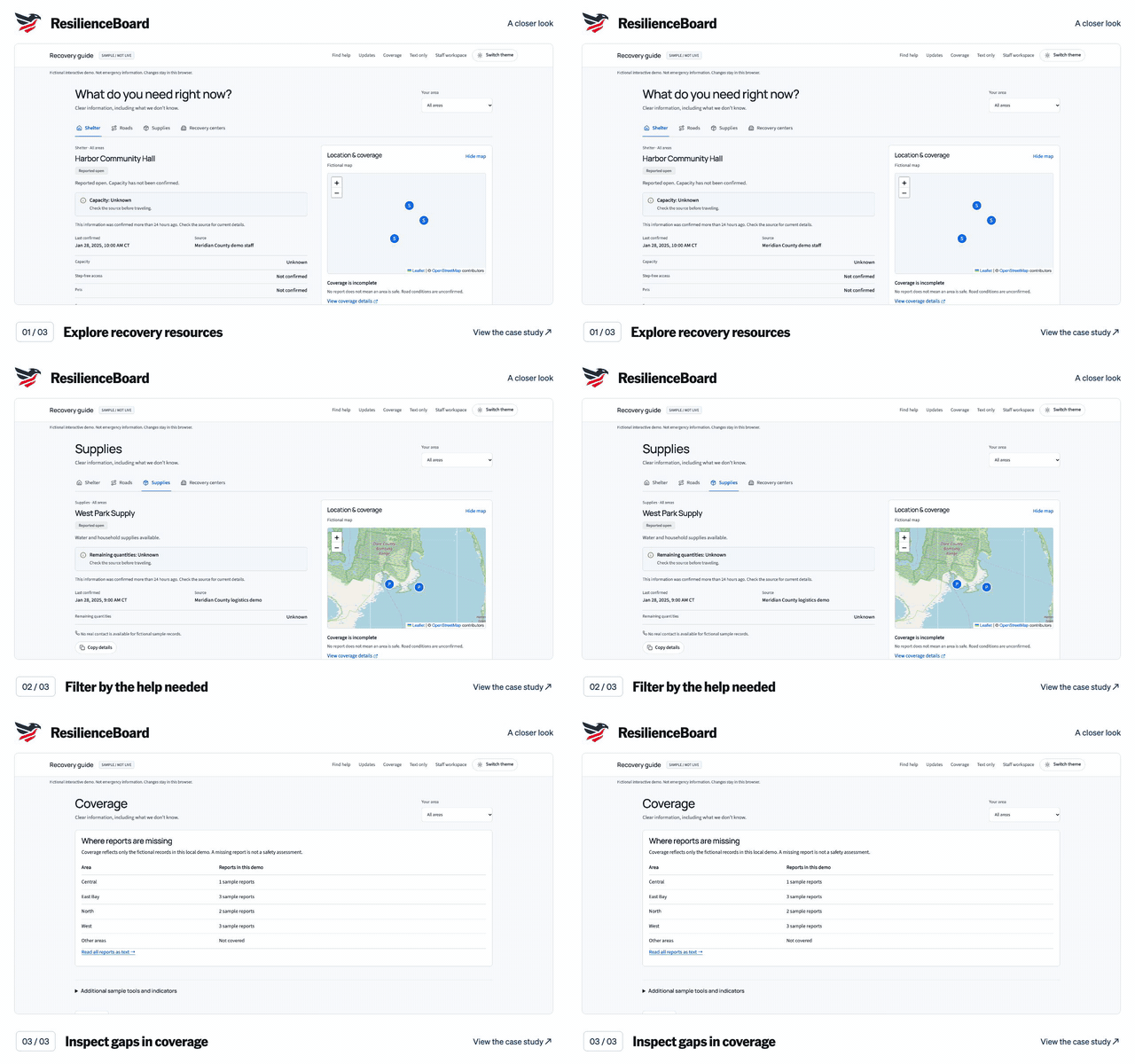
ResilienceBoard: Explore recovery resources. Captured application screen.
9-second walkthrough
Walkthrough details for ResilienceBoard

A silent preview of the actual project screens. Explore recovery resources. Filter by the help needed. Inspect gaps in coverage. Open the case study for the full walkthrough and project context.

Download the ResilienceBoard animated GIF

ResilienceBoard

Recovery information for residents, with sources and a considered staff review workflow.

Open full live demo ↗ (opens in a new tab)
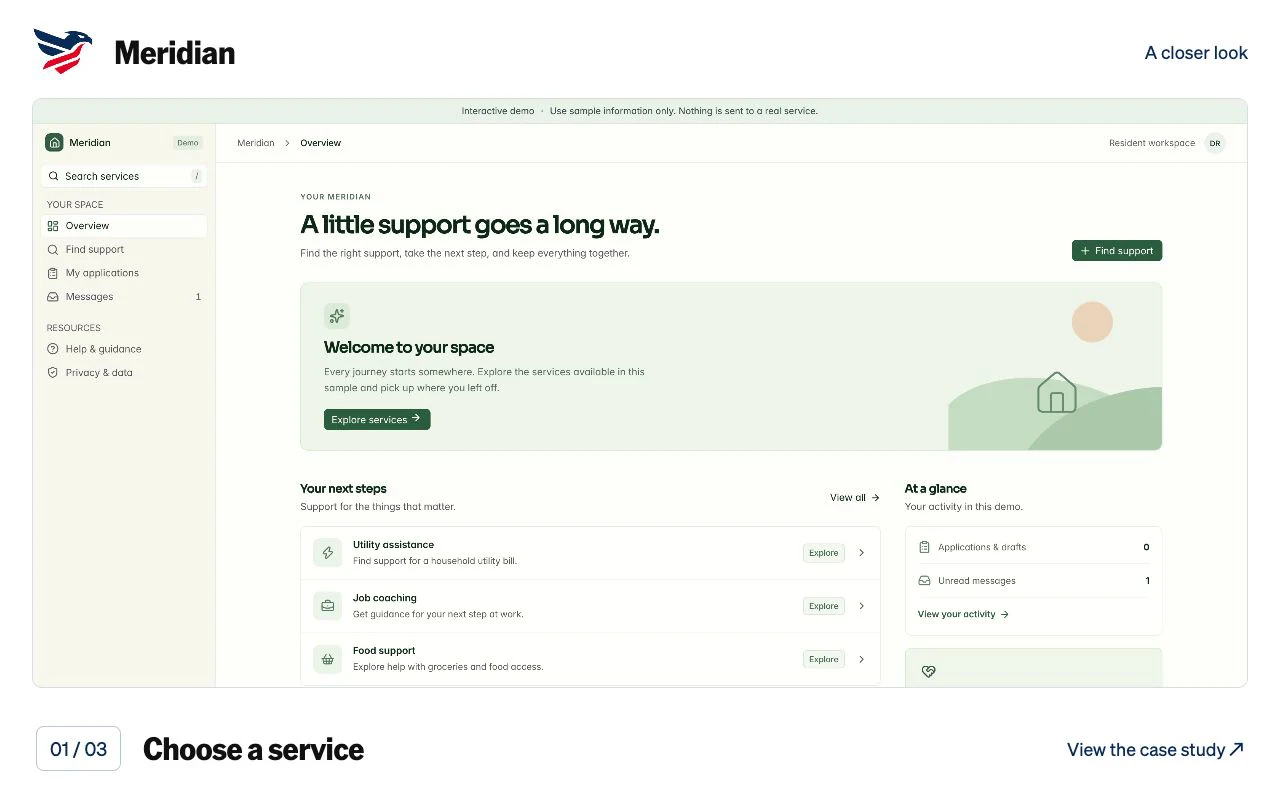
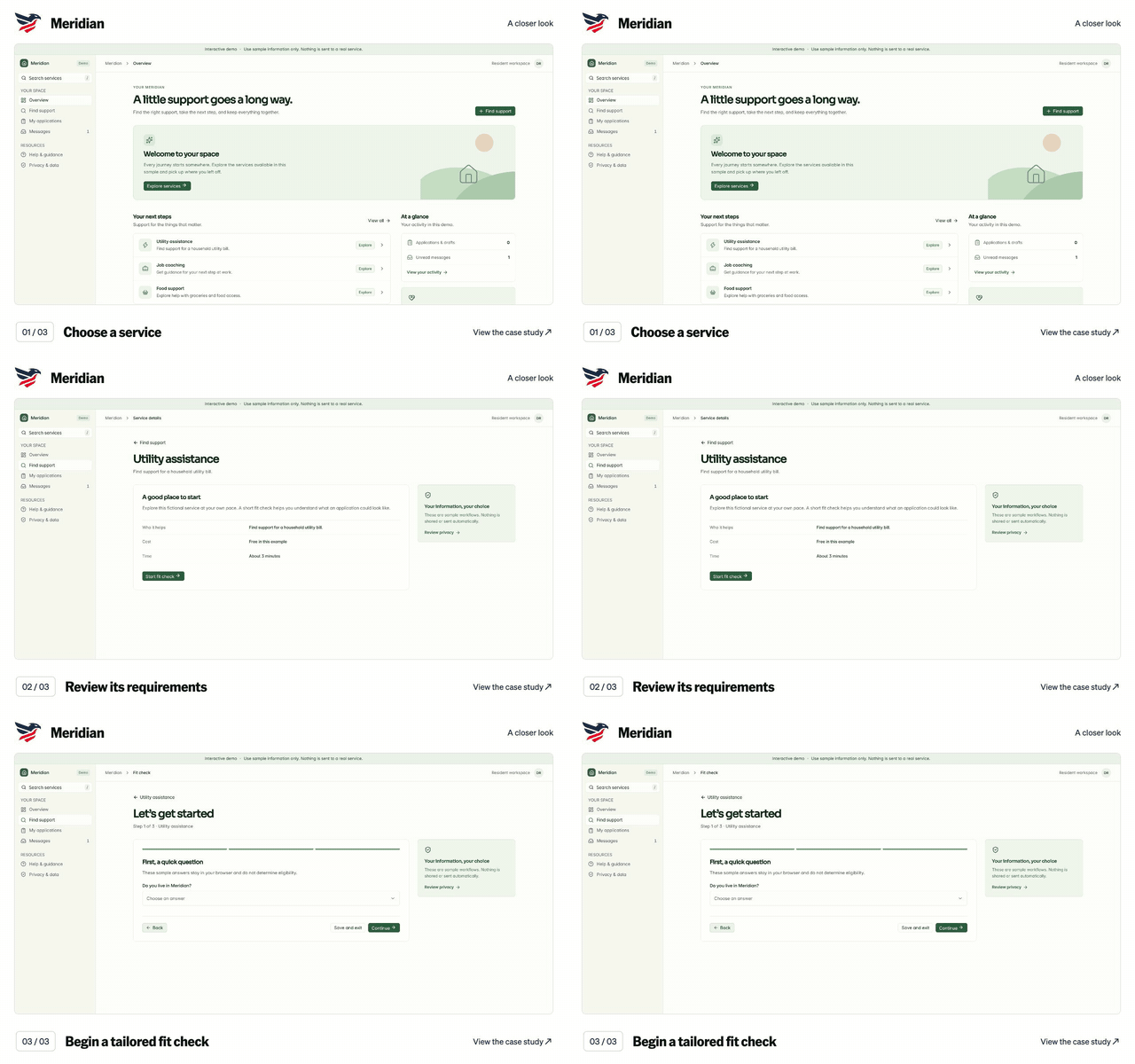
Meridian: Choose a service. Captured application screen.
9-second walkthrough
Walkthrough details for Meridian

A silent preview of the actual project screens. Choose a service. Review its requirements. Begin a tailored fit check. Open the case study for the full walkthrough and project context.

Download the Meridian animated GIF

Meridian

A resident-services workspace for applications, preparation, and messages.

Open full live demo ↗ (opens in a new tab)