
Make document review visible.
RemediationDesk
A workspace for connecting a document, its proposed structure, automated findings, and a reviewer’s decisions.
Open the frontend demo ↗ (opens in a new tab)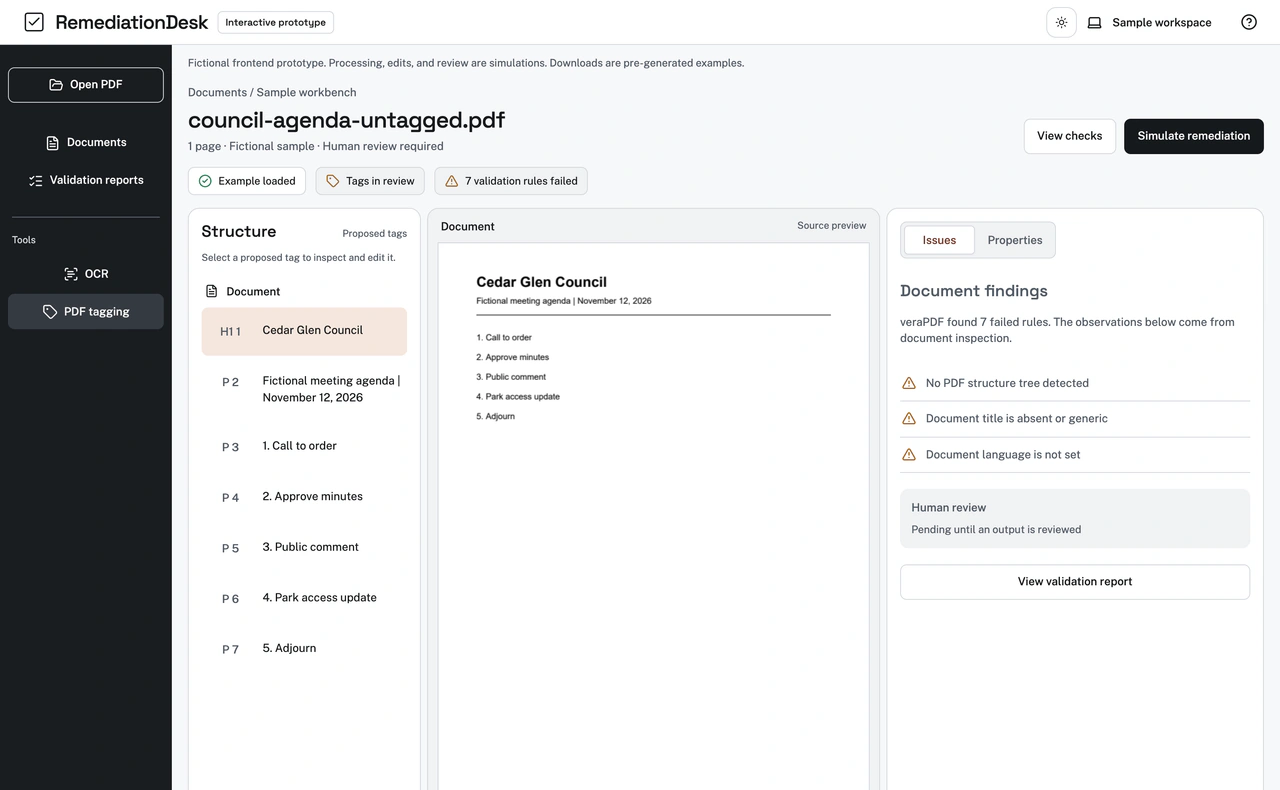
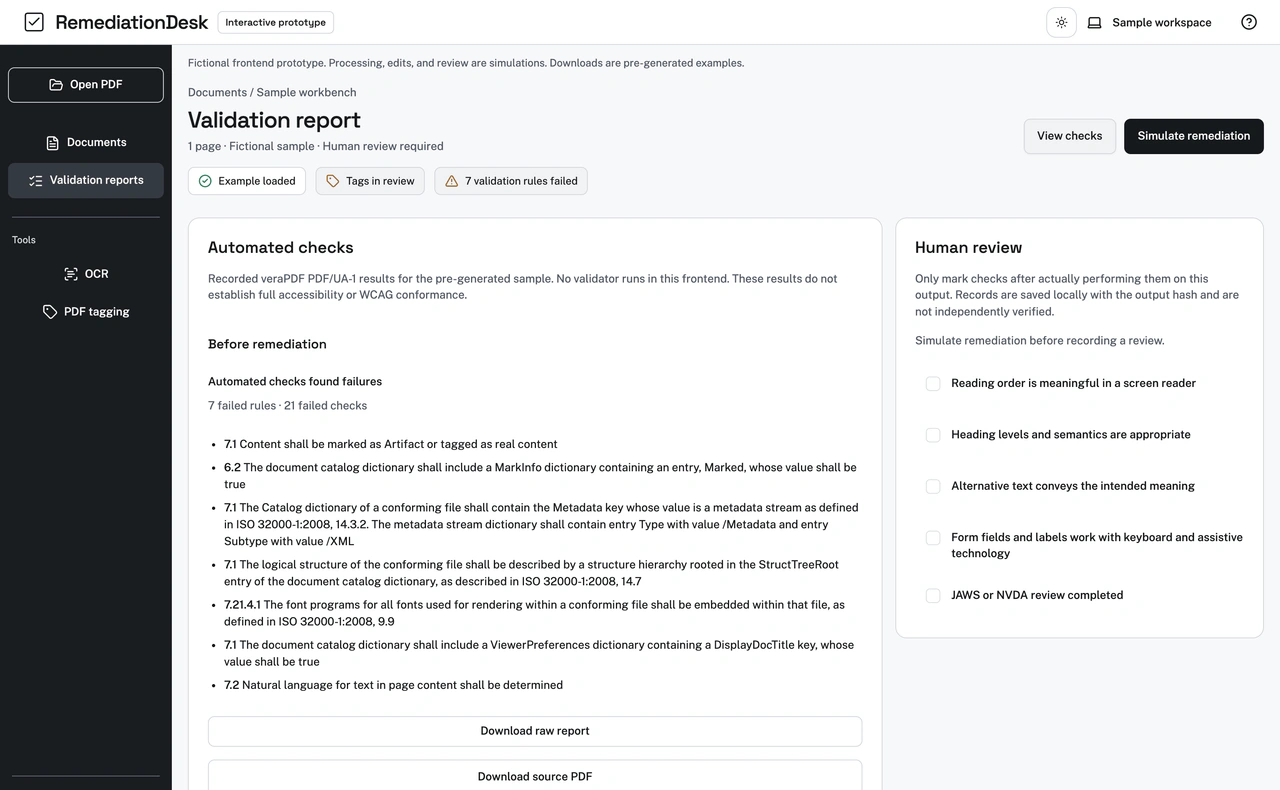
Document accessibility workspace. Browse the screens with the arrows, or play the walkthrough.
A closer look
See the full design.
Explore the desktop and mobile experiences in context. Open a capture to inspect it at full size.
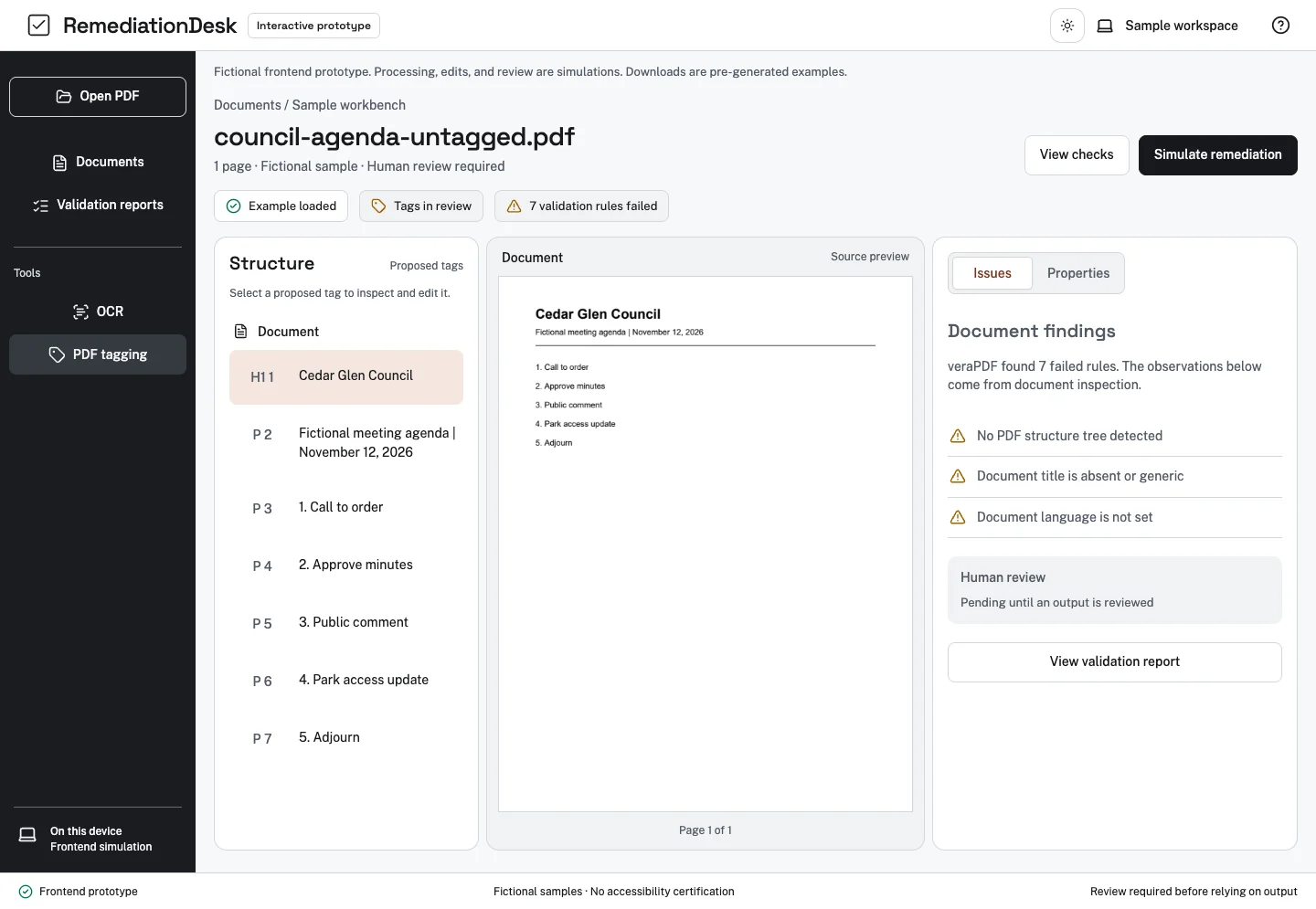
Mobile experience
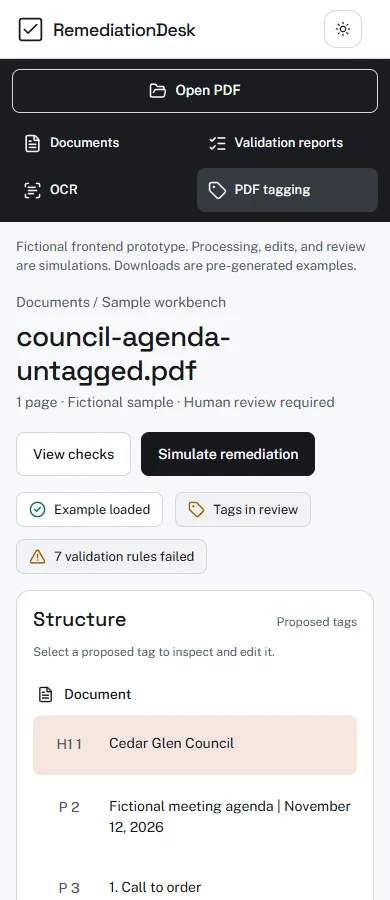
Document review workspace on a phone.
See how the same experience adapts to a smaller screen.

The problem
A list of PDF warnings alone does not show a reviewer how a document’s content, structure, and reading order relate to one another. A review also needs to distinguish machine findings from judgments a person must make.
The approach
The workspace places a source preview, proposed tags, and an issue inspector together. It makes a recorded validator report available beside a human-review checklist rather than presenting an automated result as complete accessibility proof.
Try the workflow.
- Choose a sample agenda, scanned form or notice and inspect its proposed tags and findings.
- Change a tag or reading order, or try the simulated OCR and alternative-text workflow for the sample.
- Open the recorded report, download the pre-generated example PDF, and inspect the human-review checklist.
What the demo can—and cannot—show
The public demo runs in the browser. Editing a tag or alternative text does not change its pre-generated PDF or recorded validation result. A file selected for preview is not analyzed or repaired by this frontend.
A separate local research worker has exercised OCR, limited tagging and veraPDF checks on sample documents. It is not connected to the public demo. Those experiments do not establish general PDF support, WCAG or Section 508 conformance, or an accessibility certification.
Automated and keyboard checks support development. A complete NVDA and JAWS review of the frontend and example PDFs, and independent human accessibility acceptance, remain open.
See the full experience.
Explore the review workflow, document structure and findings.