
Clarity when
it matters.
A more useful way to find recovery information.
When conditions change, people need answers they can understand and staff need a careful way to share them. ResilienceBoard explores both sides of that exchange.
Product strategy • Interface design • Application development
Explore the interactive demoRECOVERY GUIDE / PUBLIC VIEW

A closer look
See the full design.
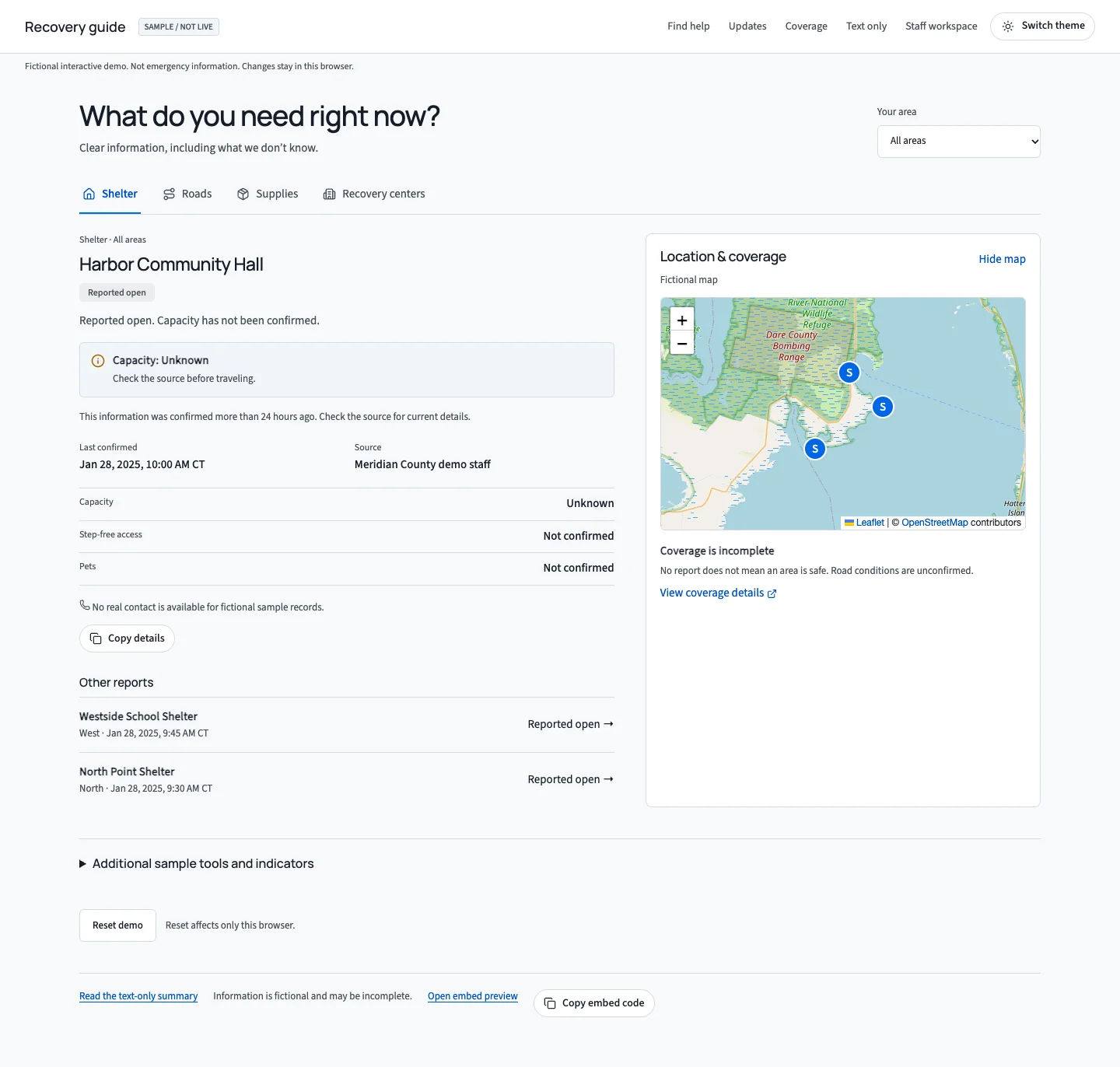
Explore the desktop and mobile experiences in context. Open a capture to inspect it at full size.
Mobile experience
Recovery guide on a phone.
See how the same experience adapts to a smaller screen.

The challenge
People do not
think in dashboards.
In a recovery scenario, a resident may need a place to stay, a road update, or basic supplies. A map can help, but it should not be the only way to find an answer.
The experience starts with the question, then keeps the source, confirmation time, and missing information close to the result.
01 / The public experience
Find the answer.
See its limits.
A focused view for shelters, roads, and supplies, with a map as a second way to explore.
Designed for uncertainty
Unknown is an
answer too.
Capacity, access, and coverage are shown as unknown when the sample record does not confirm them. A missing report is never presented as proof that an area is safe.
- Source and confirmation time on each record
- Area filters and a readable list beside the map
- A text-only summary and browser-local reset

02 / The staff workflow
From source
to shared.
A clear public view depends on the work behind it. The workspace separates a draft, human review, and publication into visible steps.
Draft
Record the source, public wording, confirmation time, and what is still unknown.
Review
Compare the proposed update with the existing record and check the details before approval.
Publish
Update the sample views and retain a separate publication time and history.

A deliberate distinction
Two times.
Two meanings.
An update can be published today even when the underlying information was last confirmed earlier. The workspace keeps those moments separate so a recent publication does not make an old observation look new.
When the source says the information was observed.
When the example update was shared in this browser.
Illustrative labels, not live emergency information.
The public walkthrough
Explore the workflow.
The public walkthrough uses sample records. Drafts, review and publishing stay in the visitor’s browser, so the workflow can be explored without changing shared information.
The map uses OpenStreetMap tiles and needs a network connection. The list and text view remain available without the map. For current emergency guidance, resource availability and road conditions, consult official sources.
See it for yourself
Better information
starts with clarity.
Explore the resident views and the staff review workflow.